macOS · v1.0
90% of your next app already exists.
AppOS is a macOS runtime where every app is a plugin on one typed, permissioned foundation — storage, credentials, scheduling, webhooks, files and your own agent, already wired. You describe the 10% that's actually yours. It builds, validates, and opens in a tab.
Bring Claude Code, Codex, Gemini or Grok — or use the hosted agent.
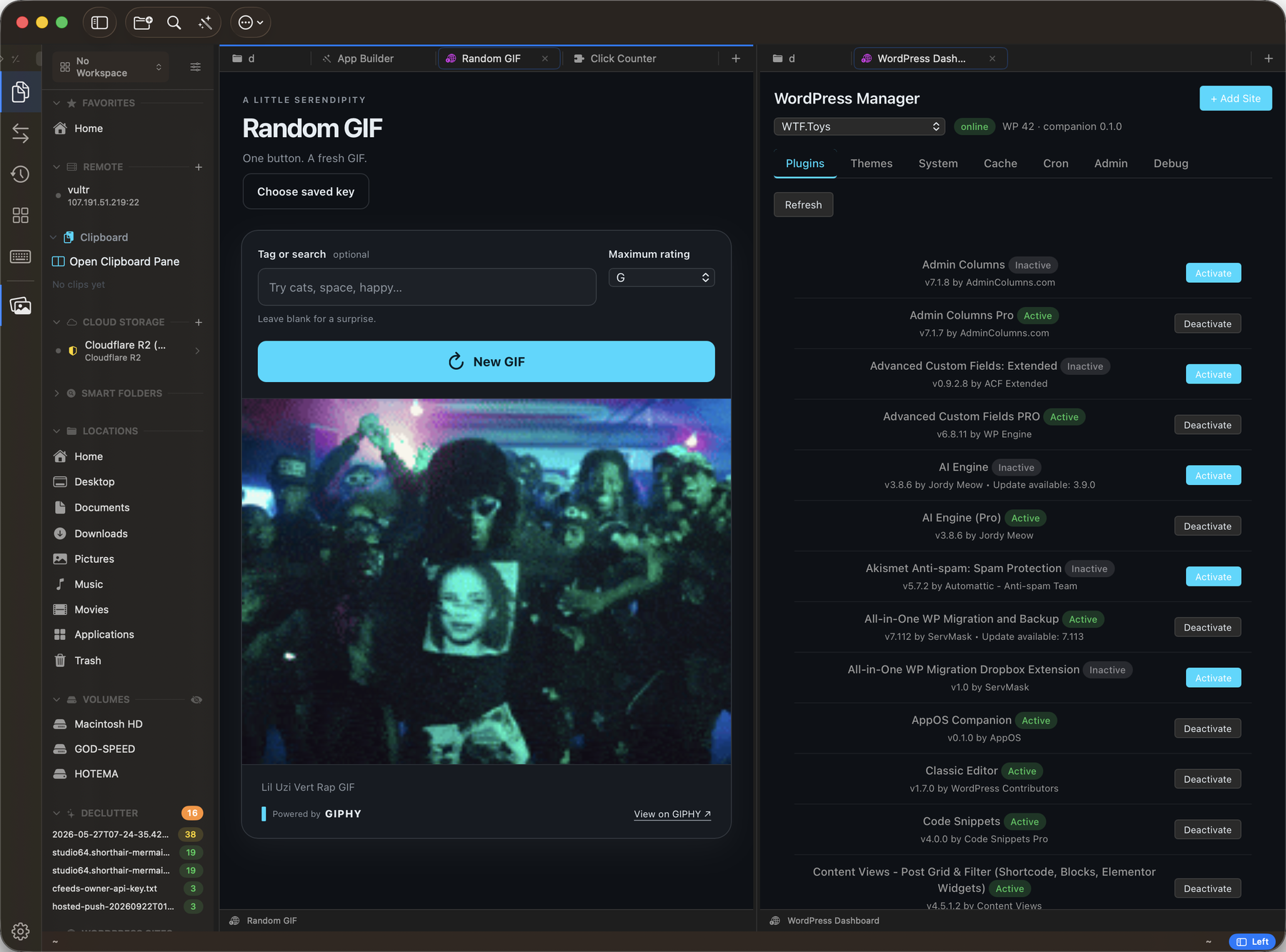
two plugins · one window / Random GIF, built in a session / WordPress Manager, live against a self-hosted install
Every project re-solves the same problems.
Twenty years shipping software, five building with agents. The same foundation every time — and not always the same quality. One project's storage layer was better than another's. One had a real credential path; the next had a .env file. Over enough projects, the portfolio itself becomes the maintenance problem.
A factory doesn't rebuild the press for every part. It standardizes the parts that shouldn't differ, and spends its effort on the one that should.
storagedurable document + key-value storevaultcredentials, never written to your projectschedulerjobs, triggers, conditionsactionspublic action fabric + paletteeventstyped bus, replay, inspectentitiestype registry, attached fieldsledgerexecution + approval historywebhookinbound routes, outbound send, signingllmcomplete, stream, embed, vision, agentviewshost-rendered saved viewsclipboardhistory, transforms, bundlessidecarsprotocol subprocesses
43 namespaces · 135 permission scopes · one host, one update path.
Nothing here is generated per project. That's the point.
Your agent already knows how to build here.
AppOS ships with its own developer: the SDK skills, the scaffold, the build, the validation gate, and a private prompt for every API key it needs. Point ACP at the CLI subscription you already pay for. No second AI bill, no new model to learn, no architecture to invent from scratch.
An app arrives tested, permissioned and deployed — not merely written.
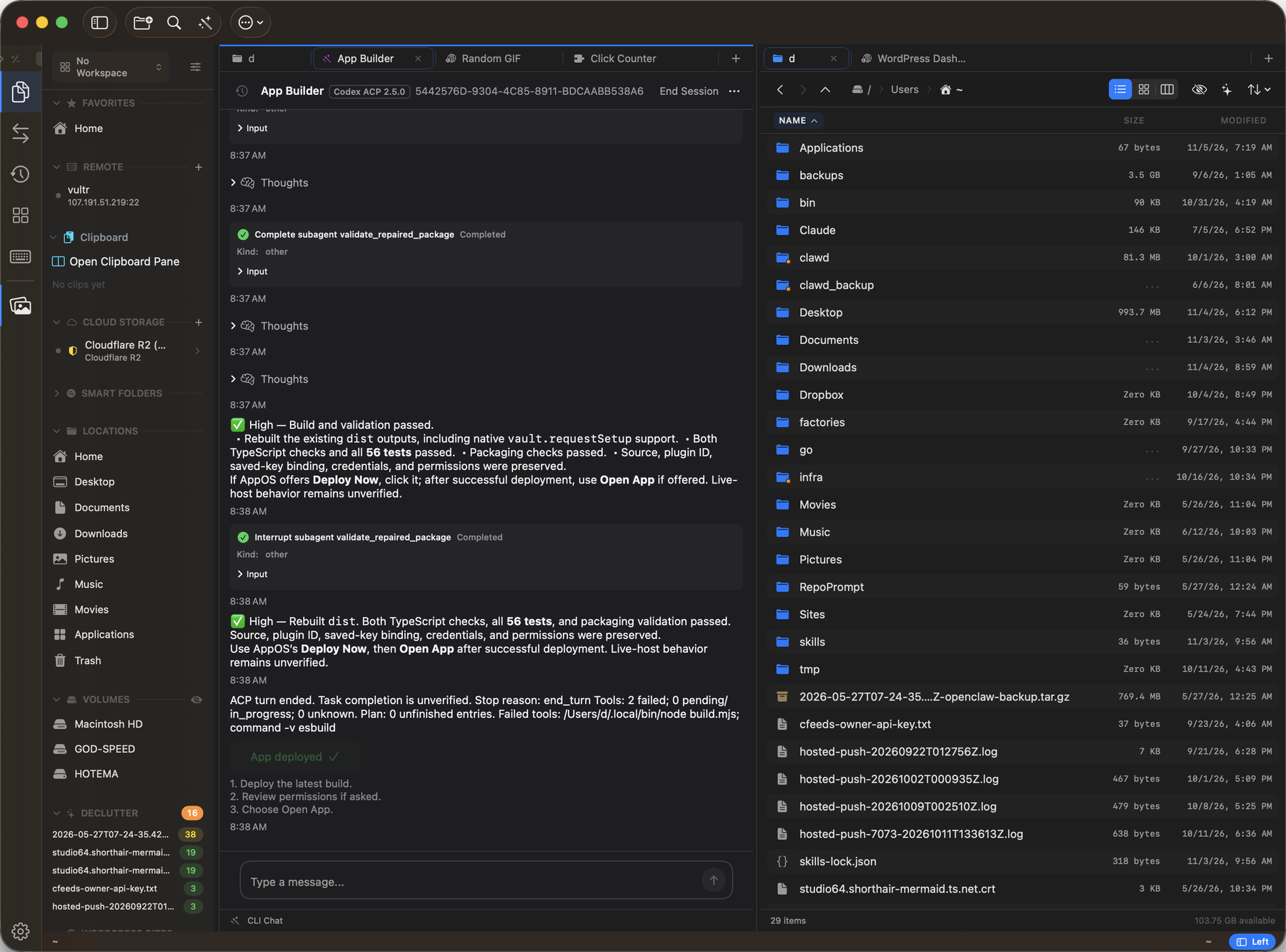
app builder / agent session on the left, your files on the right
Why not just have Cursor build me an app?
Because a generated Next.js app arrives with no permission model, no keychain, no scheduler, no packaging, no update path and no store. The next one you generate shares not a single line with it.
You get two codebases that do the same things differently, and you maintain both.
An AppOS app is a plugin on a host that already solved all of it. The key lives in a vault instead of a .env file. The contract is typed, so your agent builds against something real instead of inventing an architecture.
That's the difference between an app and a folder that rots.
AppOS is not the answer for everyone.
Technical buyers trust a product that names its edges. These are yours.
- macOS only.No Windows, no web, no iOS. The host is native.
- Your app is a plugin.It needs AppOS to run. You don't get a standalone binary for someone who doesn't have the host.
- JavaScript in JavaScriptCore, not Node.No runtime npm install; everything is bundled at build time.
- Two webview panels per plugin, six globally.A real ceiling, and it shapes what you build.
- The ecosystem is young.A handful of plugins, no track record. You'd be early.
Build one thing you'll actually use.
The alpha is small on purpose. Install it, build something you need this week, and tell us exactly where it broke.
macOS 14+ · Apple silicon & Intel · no account needed to install
or start from the other end — read the SDK docs →